Give your property photos a story to tell.
Turning real estate photos into a video with RocketReel means uploading 6–8 listing photographs and receiving, about 12 minutes later, a 30-second video with a narration written from those photographs, voiceover, music, camera motion, captions and your agent card, for $49, AUD, GST inclusive, from a Brisbane-based Queensland company. The strongest video still starts with the right photographs, so this page covers choosing them, what the system generates from them, and a worked example.
Build a useful photo sequence
Start with a compelling exterior or standout space. Follow with the main living area and kitchen, then the bedrooms, outdoor areas and details that complete the story. Include different spaces rather than several near-identical angles of the same room.
Use original files
Upload the original photographs at their available quality. Avoid portal thumbnails, screenshots and heavily compressed copies. Current photo requirements by length — 15s: 5–9 photos; 30s: 6–8; 60s: 12–20 (13–15 recommended); 90s: 18–24. The 15s add-on reuses existing photos. Use original landscape or portrait photos, not square thumbnails.
Set the direction
Tell RocketReel which features deserve attention and who the video should speak to. Add verified facts that photographs cannot establish, such as room counts or property details. Keep the brief specific to this listing.
Review the result
Check that generated movement, styling and narration still represent the actual property accurately. Photo treatments can change presentation, so review them as part of the finished film before publishing.
See photos become a property film
The film above was made from fourteen supplied photographs of 246 Kent St, New Farm. The opening lands on the skyline view and front door, the sequence moves through living, kitchen, bedrooms and bathroom finishes, then outside to the lawn, pool and covered entertaining area before the presenter closes. Read the full transcript and production note on the watch page. Open the property listing film example →
Photos from anywhere in Queensland
Because nobody visits the property, a Noosa holiday let, a Toowoomba heritage home and a Townsville rental are all made from the same kind of photo set. Each Queensland region page shows what local agents use the videos for and what a filmed alternative costs there. Find your market on real estate videos across Queensland →
What comes from your photos and what is generated
A photo-to-video film is a marketing interpretation of your photographs. This is exactly which parts you supply and which parts are produced.
| Element | You supply | RocketReel generates | Notes |
|---|---|---|---|
| Photographs | 6–8 (30s), 12–20 (60s), 18–24 (90s) | Camera motion across each photograph | Original landscape or portrait files; square thumbnails are rejected |
| Script | Property details, features, audience | Narration written from the photographs and your brief | Review it against the property before publishing |
| Voice | — | Voiceover timed to the cuts; your cloned voice with Pro | Captions are timed to the spoken words |
| Presenter | Optional own photo (Pro) | Liz Tilley or your avatar closing the video | Or no presenter |
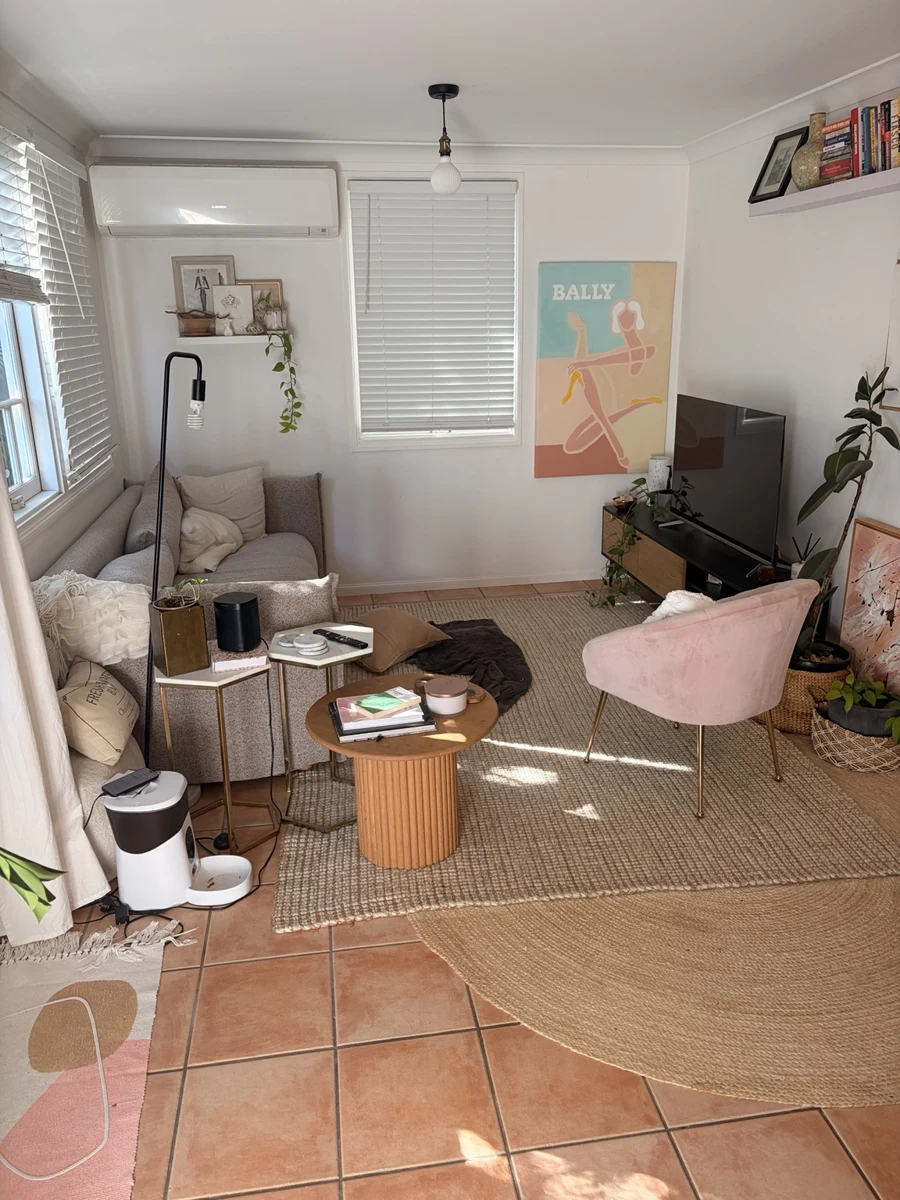
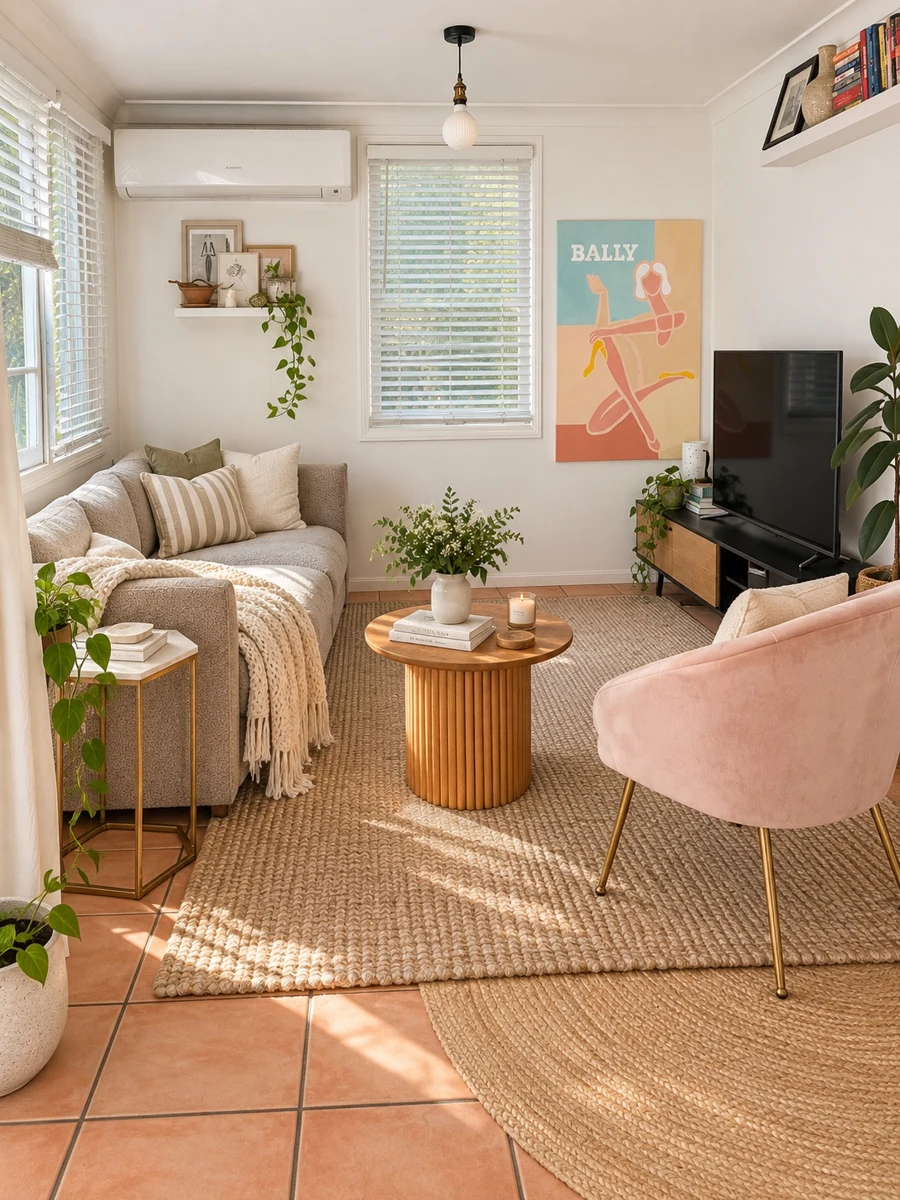
| Photo treatment | Optional | Declutter and restage of selected rooms | Shown below; changes presentation, so review it |
| Branding | Name, logo, contact details | Agent card and property graphic | Included on every paid video |
| Price and time | — | $49 30s · $89 90s (enabled by account); about 12 minutes on a real 30s job | AUD, GST inclusive |
Photo counts are the current limits per length; prices are read from the price book. The 12-minute figure is one real job, timed on the quick property videos page.
Before and after: the optional photo treatment
The same living room as supplied and after the declutter-and-restage treatment that can be applied before the video is made. These are the demonstration pair from our homepage; the Kent St originals are not yet published as approved public assets, so the finished Kent St film below is a finished-film example rather than a before-and-after.
The narration written from the photographs
Nothing in the Kent St script was typed by the agent beyond the property details; the sentences come from what the fourteen photographs show. From the 246 Kent St, New Farm — 60s property listing film narration: “With an urban skyline view, weekdays feel wider. Near New Farm Park and the Brisbane Riverwalk, the hall leads to that arched timber front door.” Watch more property video examples →
Lengths, formats and current access
Choose 15s, 30s, 60s or 90s, in 16:9 landscape or 9:16 portrait. The 15-second reel is an additional version of an existing video. Access to 60- and 90-second videos is currently enabled by account. Check Pricing or contact us for the options available to you. Property Highlights Pack $79 is available now: 60s + 30s + 15s from one photo set. Complete Property Pack $129: the 90s Property Showcase plus the 60s, 30s and 15s cuts from one photo set ($168 bought separately — save $39, 23%). Targeted Campaign ($199: three audiences × three lengths, nine videos) is coming soon and cannot be ordered yet. The 90-second Property Showcase is also sold on its own. See Pricing for the options currently available. Prices are AUD, GST inclusive. See current pricing →
Frequently asked questions
- How many property photos do I need?
- 15s: 5–9 photos; 30s: 6–8; 60s: 12–20 (13–15 recommended); 90s: 18–24. The 15s add-on reuses existing photos. Use original landscape or portrait photos, not square thumbnails.
- Can I use landscape and portrait formats?
- Yes. Choose 16:9 landscape or 9:16 portrait. Square output is not a separate product and square input photos are rejected.
- How do I turn real estate photos into a video?
- Upload 6–8 original landscape or portrait photographs for a 30-second video (12–20 for 60 seconds, 18–24 for the 90-second tour), enter the property and agent details, and RocketReel writes the script from the photographs, voices it, adds music, motion, captions and your agent card, and renders the video. From $49, AUD, GST inclusive.
- Does it work with photos from my phone?
- Yes, if they are original, well-lit and not square or heavily compressed. Professional photographs produce a better film because the motion and narration are generated from what is in them.
- Does it add things that are not in my photos?
- Camera motion is generated across each photograph; the narration is written from what the photographs show and the details you enter. Optional photo treatments (declutter and restage) change the presentation, and you review the finished video before publishing.
- How long does photos-to-video take?
- About 12 minutes for a 30-second video on the real job timed on our quick property videos page; longer with a presenter or the 60- and 90-second lengths.